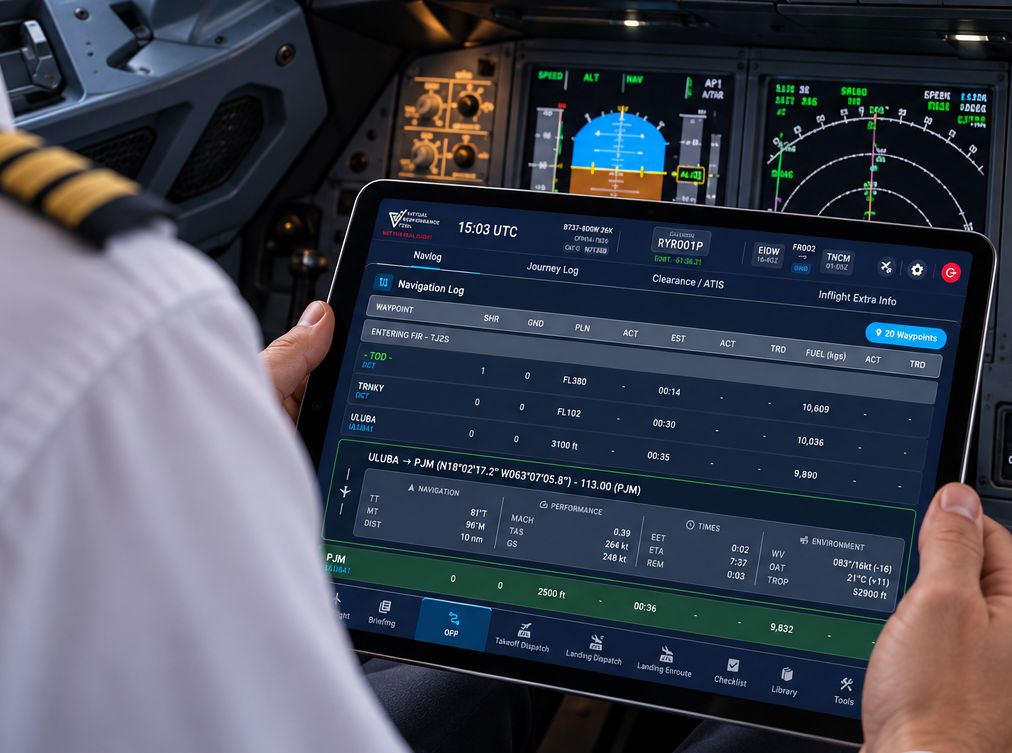
One EFB.
Every phase of flight.
Import the flight plan, build the briefing, calculate takeoff, follow fuel and time in flight, prepare the landing and close the journey log — with your flight, documents and operational tools kept together in one EFB.
Flying as a crew? Keep the active flight synced across multiple VPT EFBs.
Soon · VPT 2.2 SimBrief import, the briefing and the in-flight NavLog.
16 airports included. No credit card required.
- iPadOS
- Android tablets
- macOS
- Web
Included in every plan unless marked. StandardStandard and Pro plans ProPro plan SoonIn development Compare plans
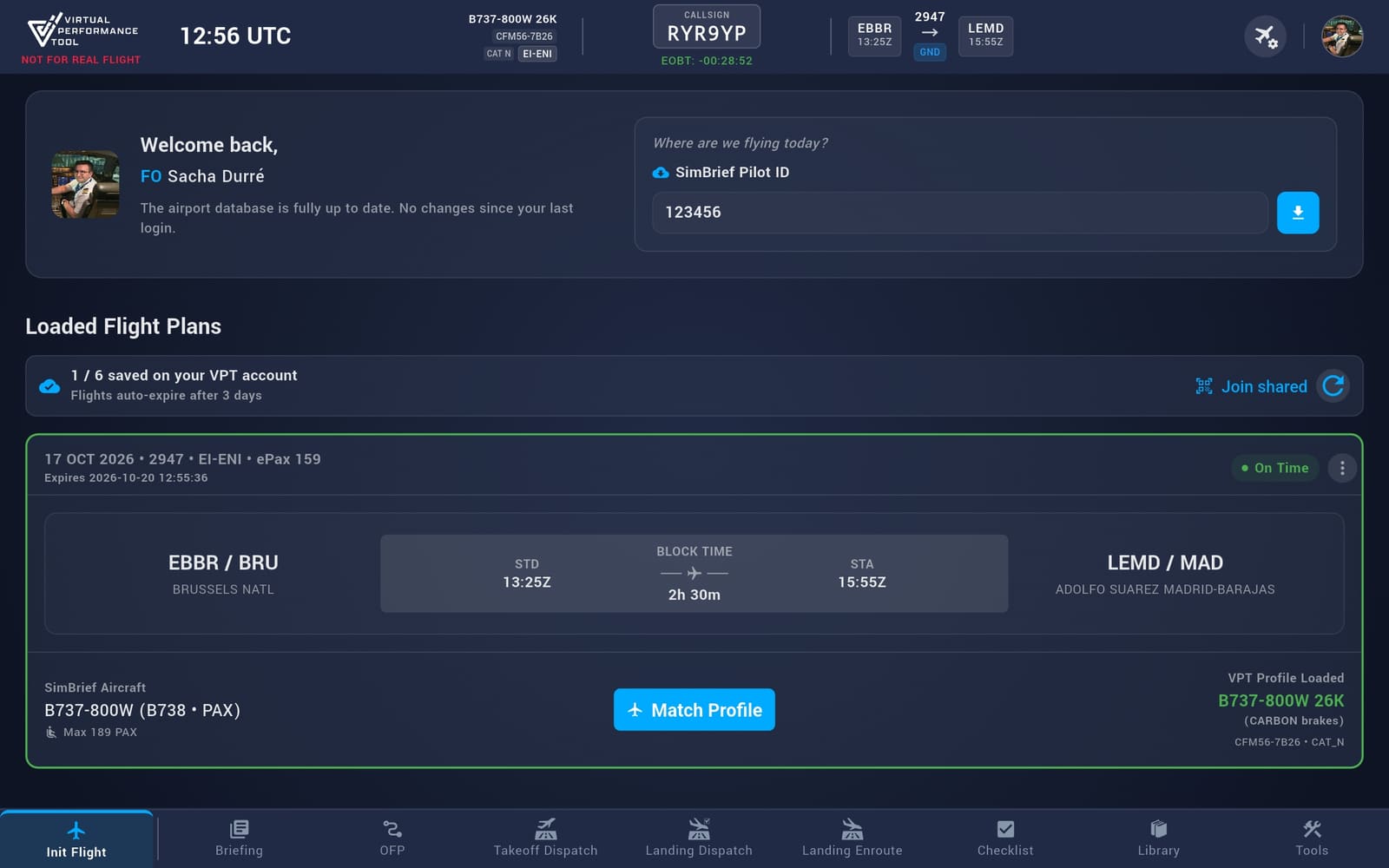
01Plan & Sync
Prepare the rotation before you start flying.
Import or create your SimBrief flight plan and let VPT prepare the flight for the rest of the workflow. Standard and Pro users can load multiple legs in advance, while crew synchronization keeps the active flight aligned across multiple EFBs.
- SimBrief flight planning Import the flight you are about to operate. Soon · VPT 2.2
- Multiple flight plans Prepare several sectors in advance for a complete rotation. Standard Soon · VPT 2.2
- Crew synchronization Keep the active flight synchronized between two or more VPT EFBs when flying with other sim pilots.
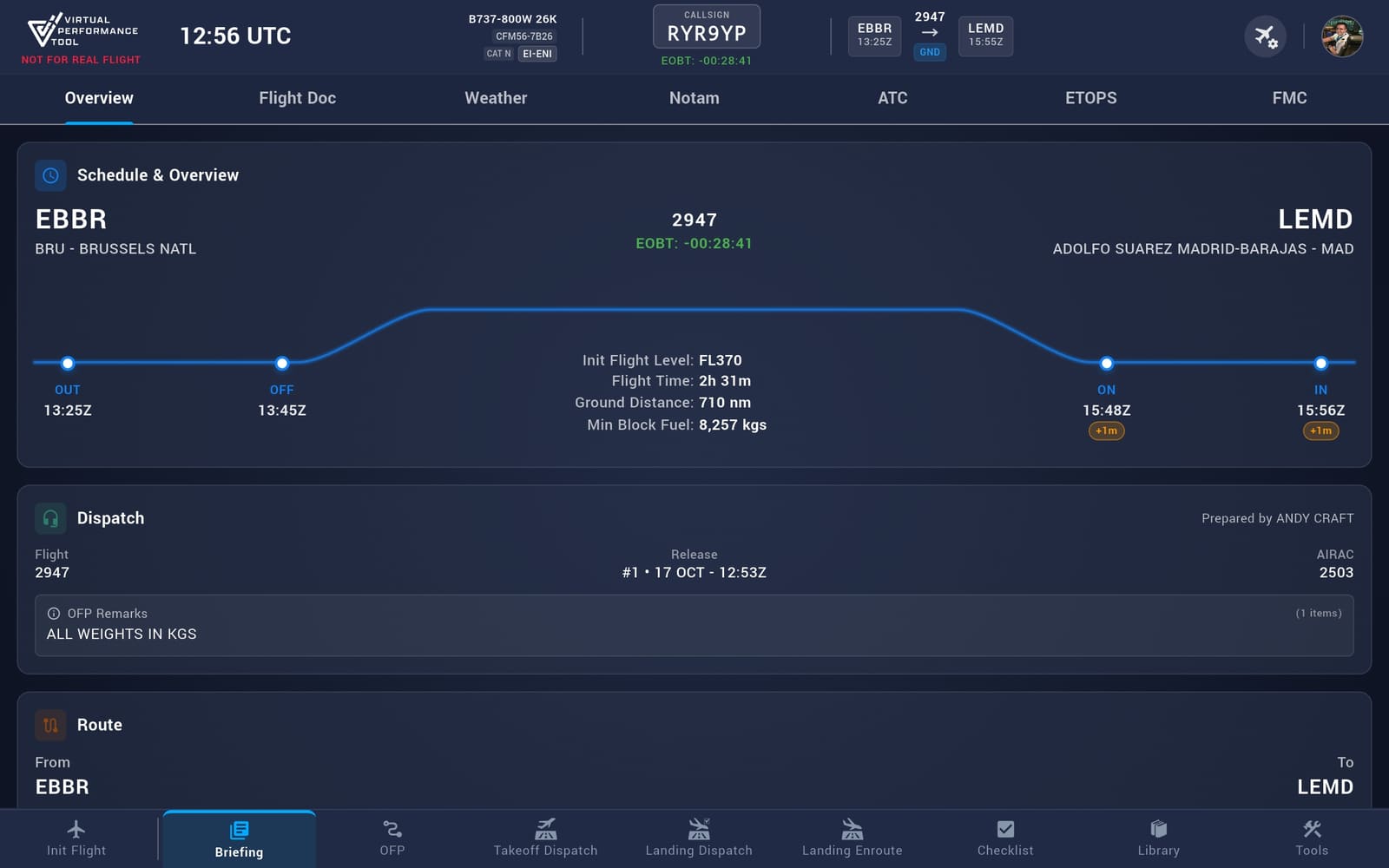
02Brief Soon · VPT 2.2
Turn a flight plan into a complete briefing.
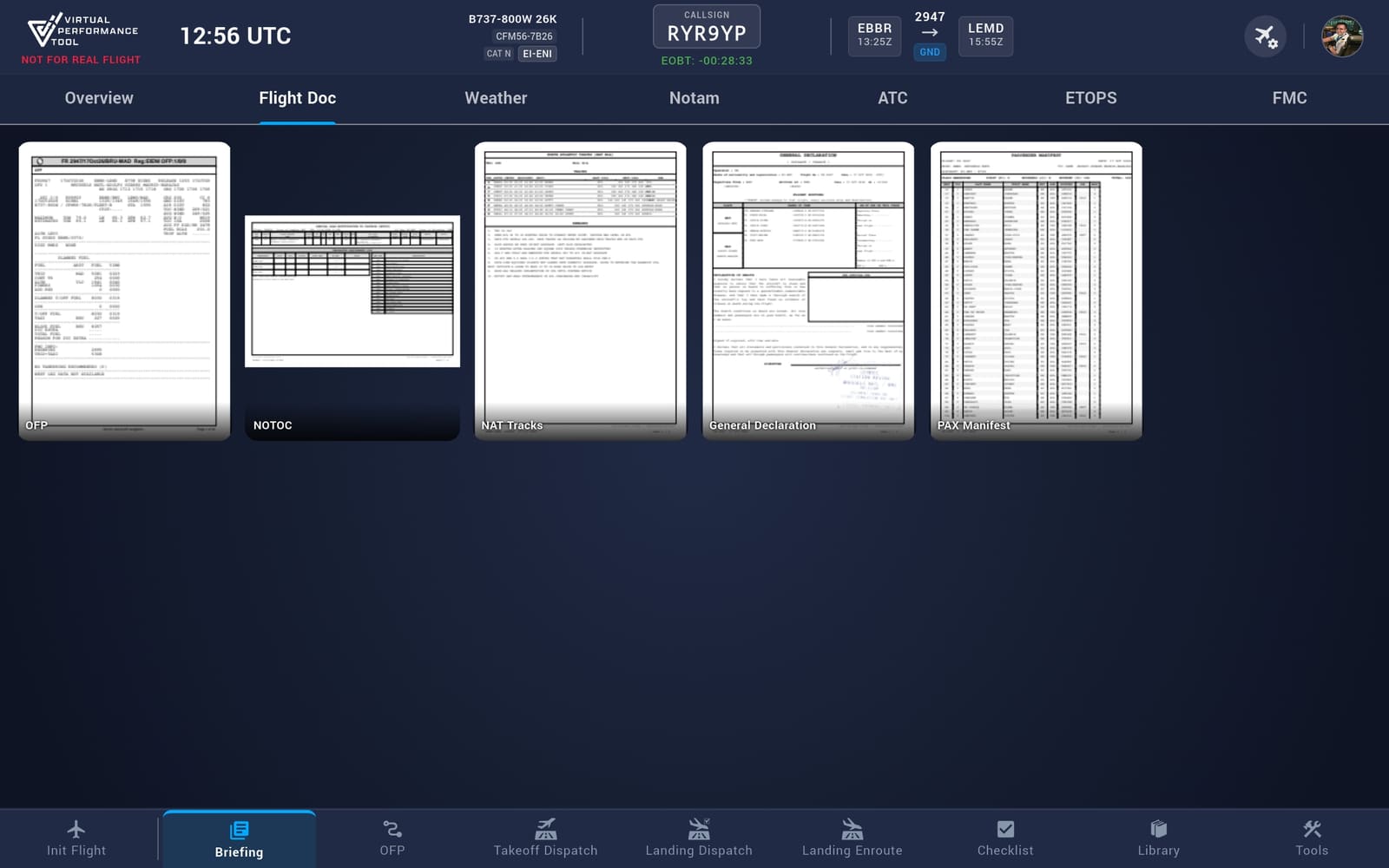
VPT takes the basic flight plan and turns it into an operational briefing package — gathering, transforming and presenting the information you need before departure in a clear workflow.
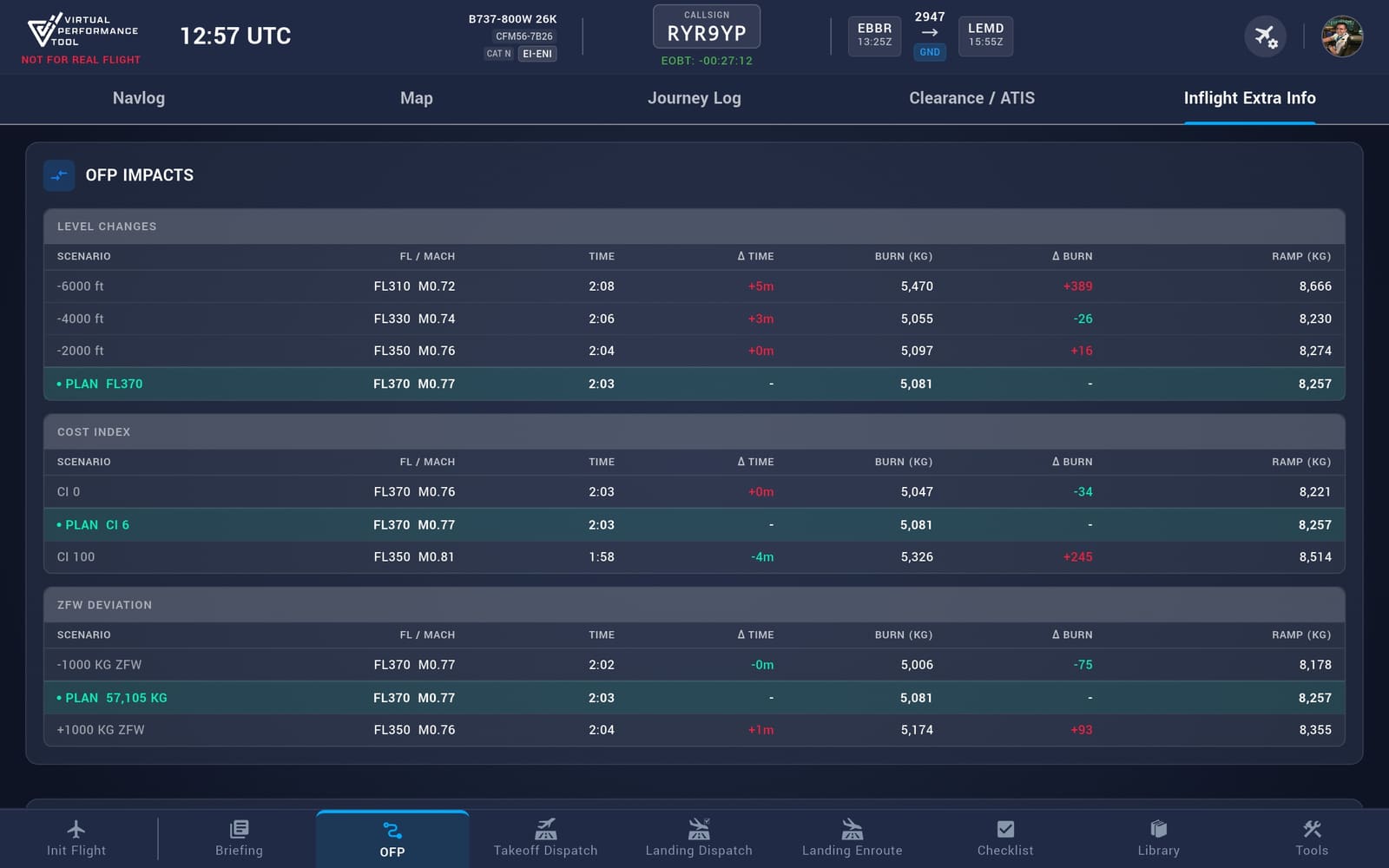
- Fuel review with built-in recalculation Change the planned alternate and fuel figures adapt automatically.
- Weather and NOTAMs Updated on demand, with relevant NOTAMs bookmarked for the briefing.
- Structured crew briefing A guided briefing flow with passenger-announcement support.
- Generated documents General Declaration, Passenger Manifest and Dangerous Goods information.
Flight briefing
OFP, weather, NOTAMs and operational overview.
Fuel & decisions
Fuel review, recalculation and alternate changes.
Flight documents
Passenger Manifest, General Declaration, Dangerous Goods and related documents.
03Takeoff
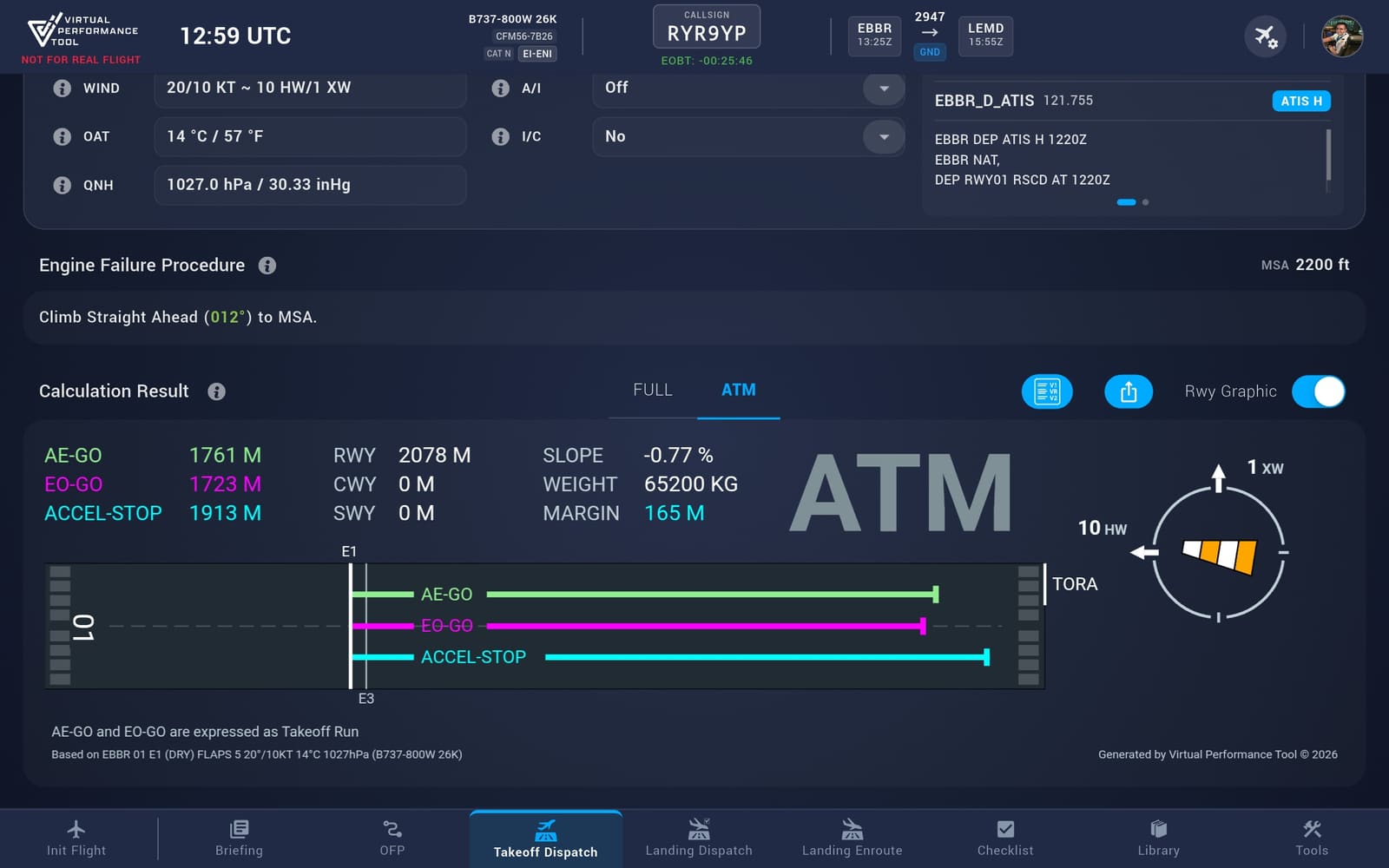
Takeoff performance, inside the flight workflow.
During cockpit preparation, calculate the takeoff dispatch using the aircraft, airport and operational context already loaded in VPT.
- RTOW and V-speeds
- Configuration and performance optimisation
- Performance-limited airport analysis
04Fly Soon · VPT 2.2
Keep the flight moving without doing the maths yourself.
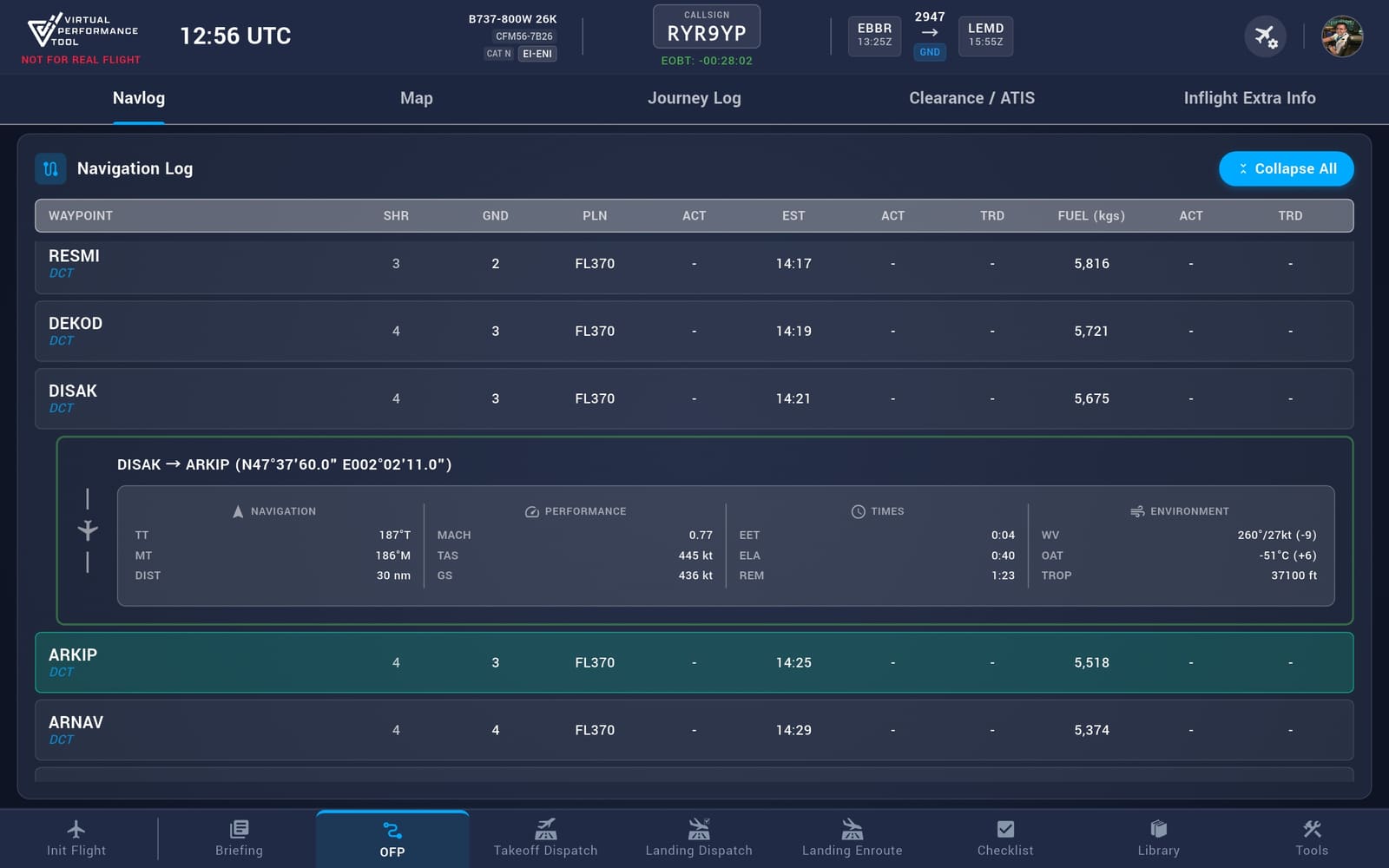
Use the NavLog throughout the flight to follow time, position and fuel without manually recalculating the flight at every waypoint.
- Fuel and time follow-up
- Diversion mode Adapt the NavLog to a diversion. Pro
- Inflight rerouting Modify the route and recalculate the remaining flight. Pro
05Land
Prepare the landing before you arrive.
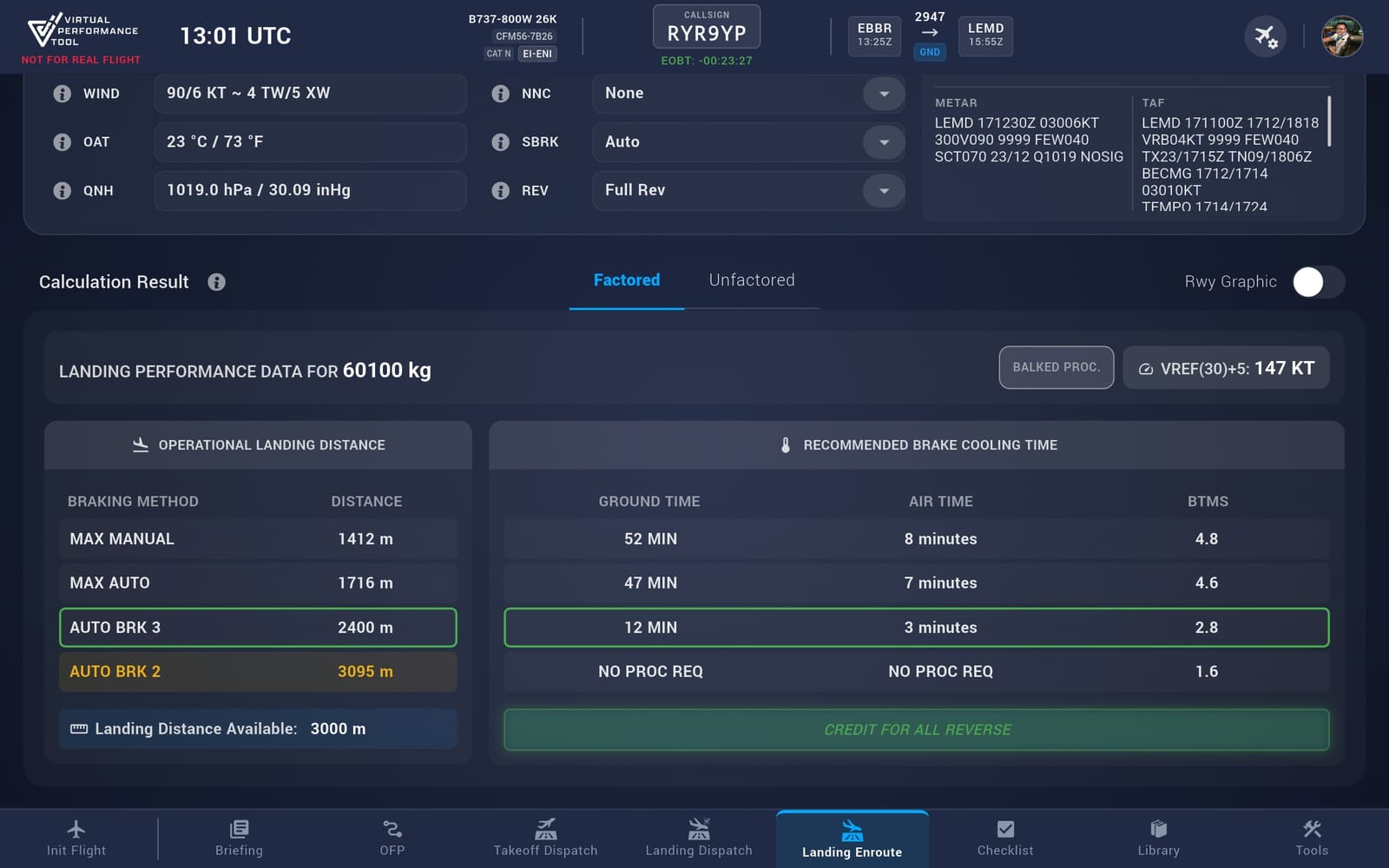
Run the landing calculation in flight and choose the configuration that fits the runway, aircraft condition and operational situation.
- Landing distance and Maximum Landing Weight
- Autobrake selection
- Configuration optimisation
- Non-Normal Condition / QRH performance penalties Where supported by the aircraft family.
06Log
Close the flight properly.
Complete the Journey Log with the operational information normally recorded after a flight — keeping the full rotation documented inside VPT.
- On-time performance
- Delay reasons
- Rest periods and other journey-log information


Throughout the flight
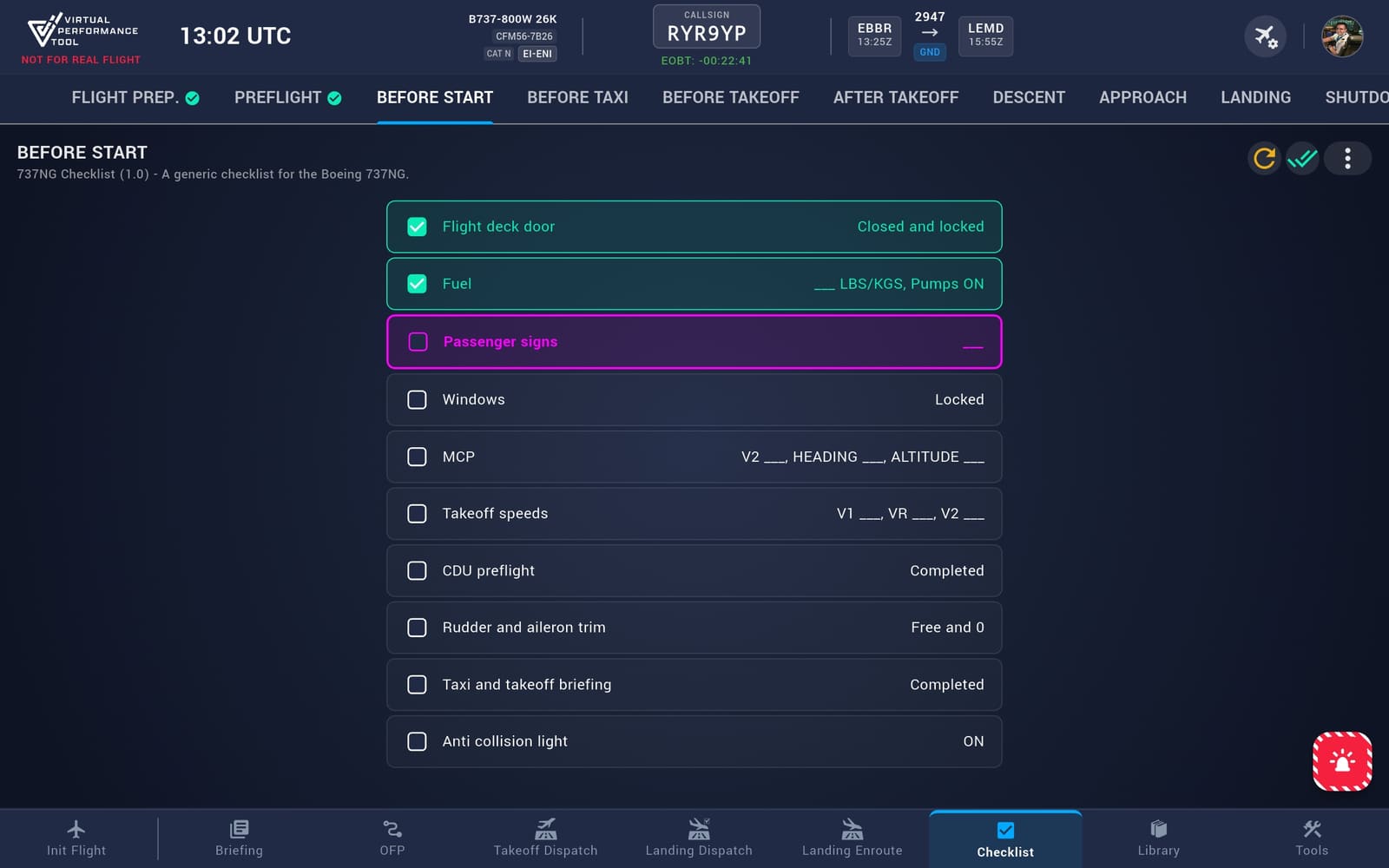
Electronic checklists, built into the EFB.
Run the checklist directly inside VPT with simple tap-to-complete actions and a layout designed for quick use throughout the flight.
Adapted to the way you fly. Fleet Customization will let individual users and Virtual Airlines customize checklist content so it can better reflect their aircraft setup and SOPs.
- Simple interactive checklist flow
- Aircraft and fleet-specific content
- Customization for individual users Soon
- Virtual Airline checklists matched to their SOPs Soon
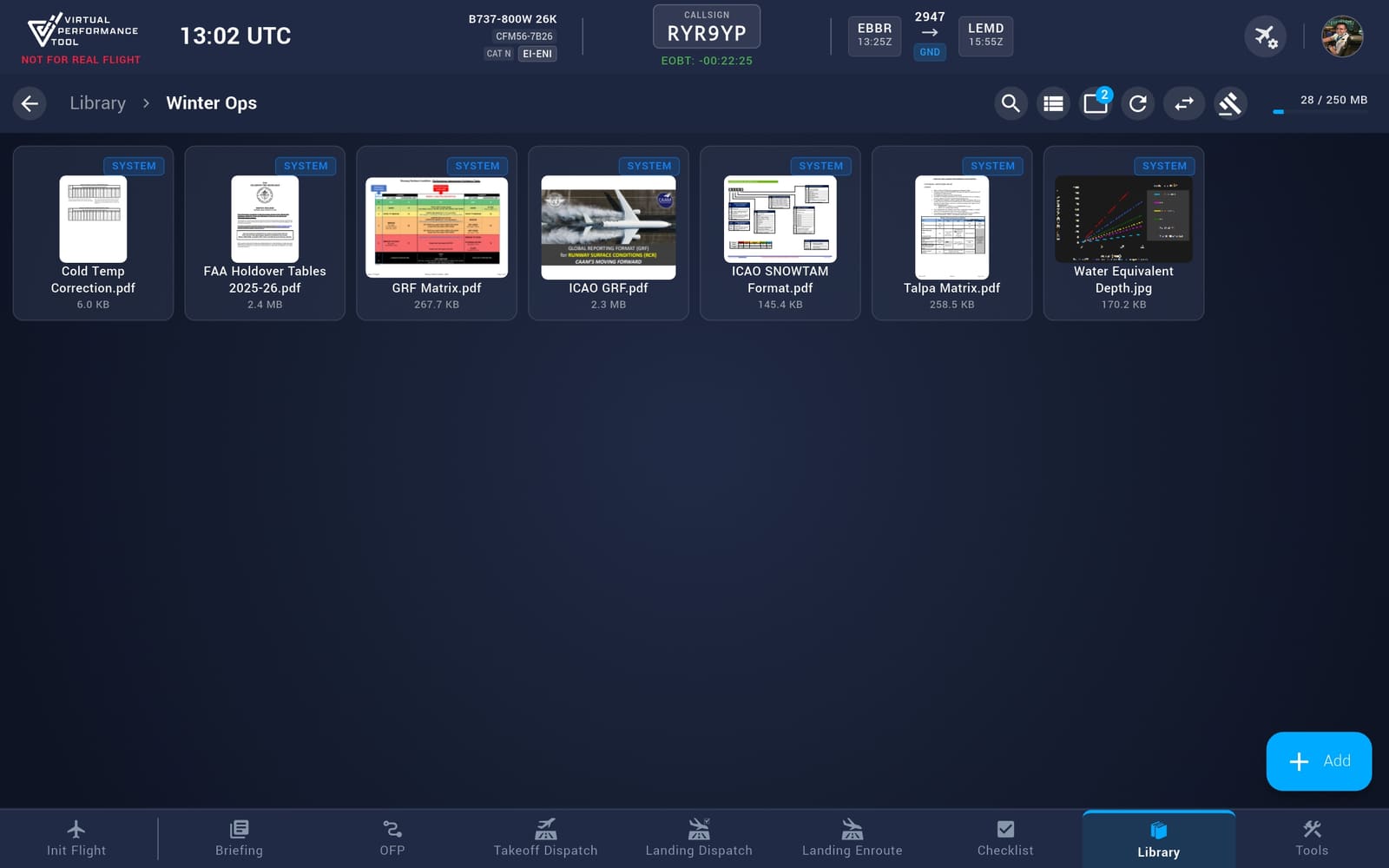
Your documents, always available
One library for the documents you actually use.
- VPT Library A selection of useful documents supplied through VPT.
- Your Library Import your own manuals, charts, references and other documents. Local-device storage is free and unlimited.
- Virtual Airline Library Approved Virtual Airlines can make their manuals and operational documents available directly to their members through the VPT ecosystem. In trial Soon
Keep documents locally for free, or use subscription cloud storage to access them across your devices. Cloud allocation depends on the subscription plan. Virtual Airline cloud distribution requires approval.
Always within reach
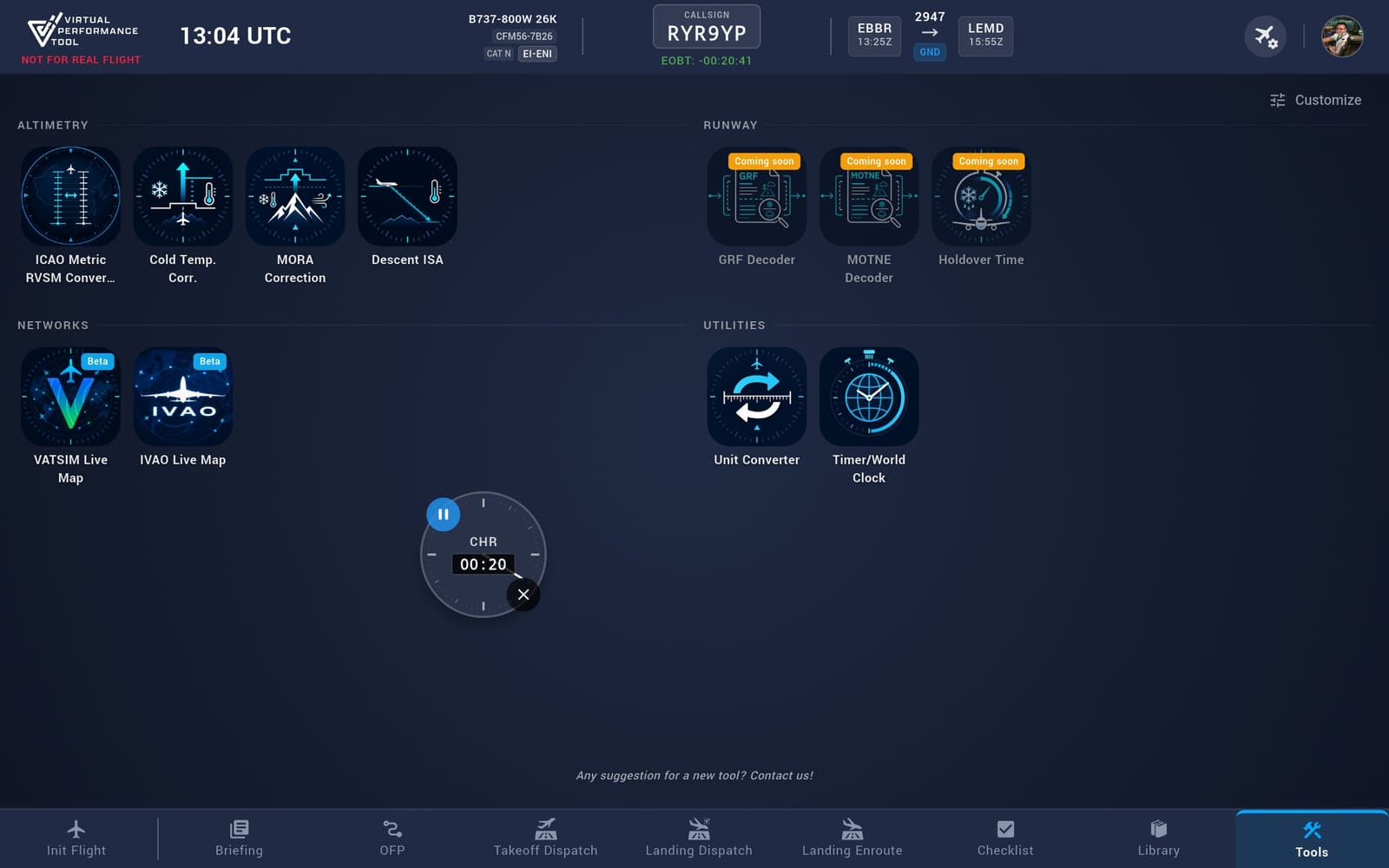
Operational tools, when you need them.
-
Everyday utilities
Unit converter, chronometer/timer and a customizable world clock — no context switching.
-
Altimetry tables
StandardICAO metric / RVSM table and Descent ISA.
-
Decoders
SoonGRF and MOTNE decoders.
-
Cold temperature correction
StandardICAO Doc 8168 corrections on a draggable popup, available during the approach.
-
MORA correction
ProCorrection of the Minimum Off-Route Altitude (MORA).
-
Holdover time
Pro SoonHoldover time tables — no manual searches during de-icing.
-
VATSIM live map
Track traffic and online ATC worldwide.
-
IVAO live map
SoonTrack traffic and online ATC on the IVAO network.
Availability of NNC/MEL/CDL depends on the aircraft family — check the fleet before subscribing. Plan details are on the pricing page.
Take the whole workflow with you.
iPadOS, Android tablets, macOS (Apple Silicon) and Web. Start free with 16 airports included — no credit card required.
VPT is for flight simulation only and is not certified for real-world operations. Some modules are under active development; feature availability varies by aircraft and platform.